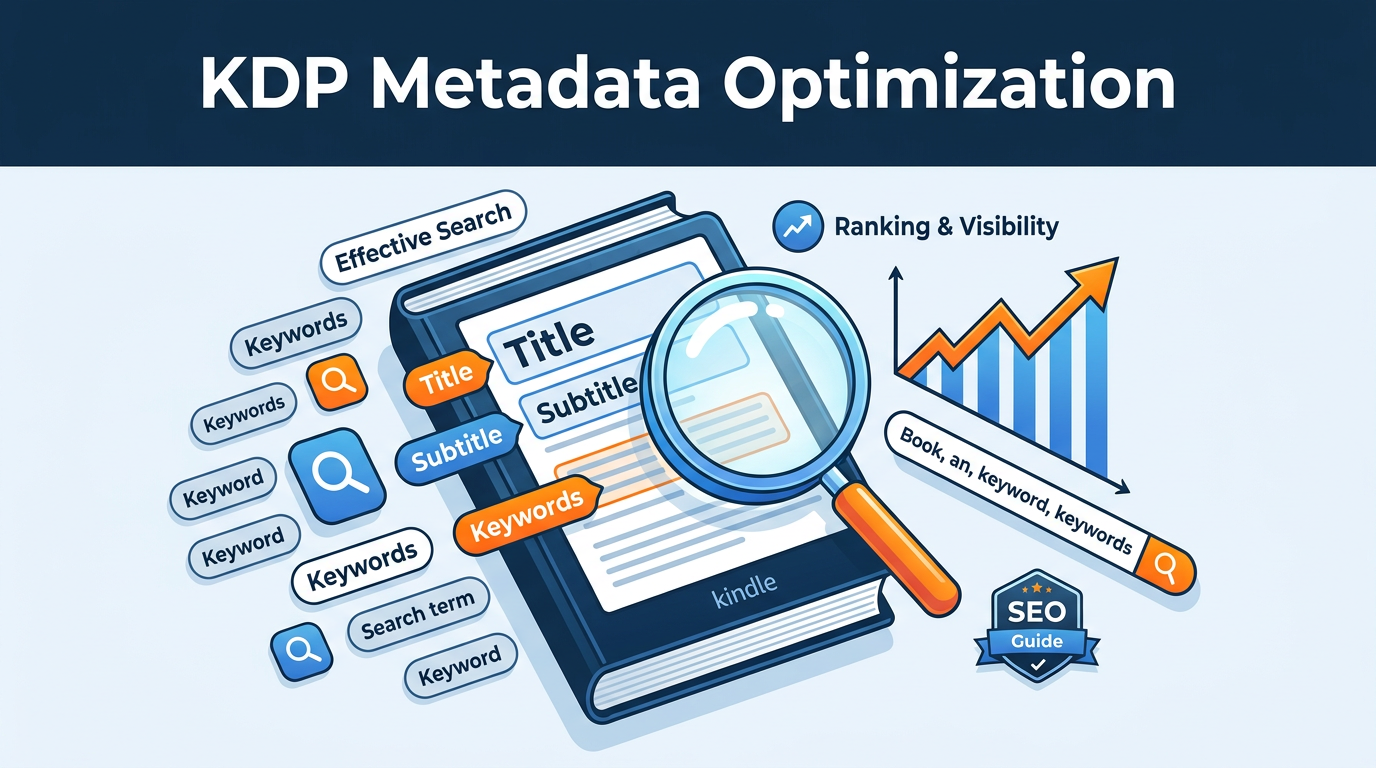
In the vast ocean of the Amazon Kindle Store, where millions of books compete for the attention of a finite number of readers, discoverability is the single greatest challenge for self-published authors. You can write a masterpiece, invest in professional editing, and commission a world-class cover, but if the Amazon A9 (or the newer A10) search algorithm cannot "see" your book, your sales will likely remain stagnant. This is where Amazon Kindle Direct Publishing (KDP) metadata optimization becomes your most powerful marketing lever.
Metadata is not just a technical requirement for uploading your file; it is the silent salesperson that works 24/7 to connect your book with its ideal audience. When handled correctly, your title, subtitle, and backend keywords act as a map for Amazon’s search engine, telling it exactly who should see your book based on their search intent. In this comprehensive guide, we will move beyond the basics and explore the high-level strategies used by professional publishers to dominate search results and maximize royalties.
The Science of the Amazon Search Algorithm
Before diving into specific optimizations, it is essential to understand the logic behind Amazon’s search engine. Amazon is not just a retailer; it is a sophisticated search engine tailored specifically for buying intent. Unlike Google, which prioritizes information, Amazon prioritizes conversion. If a user searches for "low carb cookbook" and clicks on your book but doesn't buy it, Amazon's algorithm learns that your book might not be the most relevant result for that specific phrase. Conversely, if your book has a high Conversion Rate (CVR), Amazon will reward you with higher rankings.
Metadata optimization serves two masters: the Algorithm (for visibility) and the Human Reader (for clicks). Your metadata must contain the specific keywords that trigger the algorithm while maintaining a natural, compelling tone that convinces a human to click. This balance is the "holy grail" of KDP success.
The Power of the Primary Title: Hook and Indexing
Your book title is the most weighted piece of metadata in the Amazon ecosystem. From an SEO perspective, the words appearing in your title carry the most "rank juice." However, from a branding perspective, the title is your first chance to establish an emotional connection with the reader.
Balancing Branding and SEO
In fiction, titles are often atmospheric (e.g., The Girl on the Train). In non-fiction, titles are typically descriptive (e.g., How to Win Friends and Influence People). Regardless of your genre, you must consider how searchable your title is. If you are a new author writing non-fiction, a purely "creative" title like The Zenith tells the reader and the algorithm nothing. Adding a descriptive element or ensuring your subtitle carries the weight of the SEO is vital.
Title Constraints and Rules
Amazon is increasingly strict about title "keyword stuffing." Your title must appear on your book cover exactly as it is entered in the metadata. Avoid using terms like "Best-Seller," "Free," or "Number 1" in your title field, as this is a direct violation of KDP terms of service and can lead to your book being blocked. Focus on the core promise of your book or the primary character/hook.
The Subtitle: Your Secret SEO Weapon
While the title is about branding, the subtitle is where the real SEO heavy lifting happens. For non-fiction, this is where you detail the "Benefit" or the "Method." For fiction, this is where you signal the "Genre" and "Tropes."
Non-Fiction Subtitle Strategy
A successful non-fiction subtitle should follow a formula: [Main Benefit] + [Method] + [Specific Target Audience]. For example, instead of "A Guide to Gardening," use "The Organic Vegetable Gardening Bible: A Step-by-Step Guide to Growing Your Own Food in Small Spaces for Beginners." Notice how this targets "organic vegetable gardening," "step-by-step guide," and "beginners" all in one go.
Fiction Subtitle Strategy
Fiction authors often overlook subtitles, but they are crucial for visibility. Adding a genre-specific tag can drastically improve rankings. For example: The Last Colony: A Gritty Military Science Fiction Adventure. Terms like "Military Science Fiction" and "Adventure" are high-volume search terms that help the algorithm categorize your work.
Expert Insight: While Amazon allows up to 200 characters for the title and subtitle combined, aim for clarity over length. Mobile users often see truncated titles. Ensure your most important keywords appear in the first 60 characters to avoid being cut off in search results.
The 7 Backend Keywords: Maximizing the 50-Character Boxes
KDP provides seven slots for "keywords." Many authors mistakenly put a single word in each box, such as "Romance" or "Health." This is a wasted opportunity. Each box can hold up to 50 characters, and you should use every bit of that space.
The "No-Repeat" Rule
Amazon’s algorithm "assembles" search phrases from your metadata. You do not need to repeat words that already appear in your title or subtitle. If your title is "The Mediterranean Diet Cookbook," do not put "Mediterranean" or "Diet" in your backend keywords. Use that space for related terms like "heart healthy recipes," "weight loss for women over 50," or "easy 30 minute meals."
Effective Keyword Phrases
Think in terms of "Search Intent." What is a reader typing into the search bar? They aren't just typing "mystery." They are typing "psychological thriller with a twist ending" or "cozy mystery set in a small town." Use these long-tail phrases in your backend boxes. You can use our Keyword Combiner tool to mix and match high-performing attributes to find unique phrases that competitors might be missing.
Step-by-Step Guide to Keyword Research
To find the best keywords, you need to step out of your shoes and into the reader's. Here is a professional workflow for keyword discovery:
- Amazon Auto-Complete: Start typing your main topic into the Amazon search bar (in an Incognito window). The suggestions that appear are based on actual high-volume searches. Note these down.
- Competitor Analysis: Look at the best-selling books in your niche. What words are they using in their subtitles? Don't copy them, but identify the "category cues" they are signaling.
- Analyze "Customers Also Bought": This section reveals the language your target audience uses and the other genres they enjoy.
- Reverse ASIN Lookup: Use professional tools to see which keywords are currently driving traffic to the top books in your category.
Once you have a list of potential keywords, you need to evaluate their profitability. High search volume is good, but if the competition is too high, you will be buried on page 20. Look for "Goldilocks" keywords: high enough volume to be profitable, but specific enough that you can rank on the first page. After you've refined your list, it's a good idea to use our Royalty Calculator to project how different sales velocities (driven by these keywords) will impact your take-home pay.
The Role of Categories in Metadata
Categories are another form of metadata that directly affects your "Bestseller Ribbon" potential. KDP allows you to select three categories during setup. However, many authors don't realize that your keywords also help Amazon place you in "hidden" sub-categories.
To maximize your reach, choose categories that are specific. Instead of "Fiction > Thriller," look for "Fiction > Thrillers > Psychological." The more niche the category, the easier it is to hit the #1 spot, which provides a massive social proof boost through the "Best Seller" badge. This badge increases your click-through rate, which in turn improves your SEO ranking—a virtuous cycle of growth.
Optimizing the Book Description (The HTML Factor)
While KDP has officially stated that the book description field is not indexed for Amazon search, it is indexed by Google. More importantly, it is the primary tool for conversion. A wall of plain text is a deterrent to readers.
To make your description professional, you must use basic HTML formatting. Bold your hooks, use bullet points for features/benefits, and use headings to break up the text. Since KDP doesn't provide a visual editor for this, many authors find it difficult to get the code right. You can use our HTML Description Formatter to ensure your description looks perfect on all devices without knowing a single line of code.
The "AIDA" Formula for Descriptions
- Attention: A bold opening hook that addresses the reader's pain point or the story's inciting incident.
- Interest: Expand on the premise. What makes this book unique?
- Desire: For non-fiction, list what the reader will learn. For fiction, highlight the emotional stakes.
- Action: A clear Call to Action (CTA) like "Scroll up and click 'Buy Now' to start your journey today."
Common Metadata Mistakes to Avoid
Even experienced authors fall into certain traps that can throttle their book's performance. Avoid these common pitfalls:
- Repetitive Keywords: Putting "Weight Loss" in every backend box. Amazon already knows your book is about weight loss after the first mention. Use the extra space for variety.
- Using Competitor Names: Putting "Stephen King" or "Atomic Habits" in your keywords. This is against Amazon’s policy and can result in account suspension.
- Neglecting the Cover/Title Synergy: If your title is "How to Bake Bread" but your cover looks like a thriller novel, your metadata won't save you. Ensure your visual metadata (the cover) matches your textual metadata.
- Static Metadata: Setting your keywords once and never looking at them again. The Amazon market changes. New trends emerge. Review your keywords every quarter.
- Ignoring Trim Size: While not strictly SEO, your book's physical metadata affects its perception. Use our Cover Calculator to ensure your physical dimensions and spine width are professional, as "look and feel" impacts the conversion rate that fuels your SEO.
Advanced Strategy: A/B Testing Your Metadata
Data-driven authors don't guess; they test. If your book has been out for a few months and sales are stalling, try changing your 7 backend keywords. Change them, wait two weeks, and monitor your "Impressions" and "Clicks" in your Amazon Advertising dashboard (if you are running ads) or your organic sales rank.
If you see an improvement, keep the change. If sales drop, revert to the previous settings. This iterative process is how "top 1%" authors maintain their rankings over years rather than weeks.
The Impact of A+ Content on Metadata Perception
A+ Content (the images and text in the "From the Publisher" section) allows you to use even more keywords and visual storytelling. While the text in A+ Content is not indexed for Amazon search, it is indexed by Google. This provides an additional "backdoor" for traffic. Use this space to highlight your brand, your other books, and more detailed descriptions of the "why" behind your work.
Expert Insights: The Future of KDP Search
As AI-generated content floods the Kindle store, Amazon is shifting toward "Quality Signals." This means that metadata alone won't be enough. The algorithm is increasingly looking at "Read-through rates" (for Kindle Unlimited) and "Return rates." If your metadata promises a "Hard Science Fiction Epic" but the content is a "Lightweight Space Opera," your high return rate will eventually tank your rankings.
Authenticity is becoming a key SEO factor. Ensure your metadata accurately represents the soul of your book. Over-promising might get you the first click, but it will kill your long-term visibility via negative reviews and high bounce rates.
Conclusion: Your Metadata Roadmap
Optimizing your Amazon KDP metadata is not a one-time task; it is a fundamental part of your publishing business. By meticulously crafting your title, leveraging your subtitle for SEO, and strategically filling your 7 backend keyword boxes, you give your book the best possible chance to thrive in a competitive market.
Actionable Steps to Take Today:
- Review your current title and subtitle. Are you using your most important keywords in the first 60 characters?
- Audit your backend keywords. Remove any duplicates and replace them with high-intent long-tail phrases.
- Use the HTML Description Formatter to clean up your book description and make it more readable.
- Check your physical dimensions with the Cover Calculator to ensure your book looks the part of a bestseller.
- Set a calendar reminder for 90 days from now to review your performance and tweak your keywords again.
The authors who succeed on Amazon are those who treat the platform with the respect it deserves—as a powerful, data-driven search engine. Put these strategies into practice, and you will see your book move from the dark corners of the store to the front-row shelves of your target readers.
Be the first to leave a comment!